Create Service User
Any Super admin user or admin user can create a service-user-account .
The service-user-account is little bit different from other accounts.
Because other accounts are related to the user logins but the service-user-account is created for service logins (service authentication).
And also it uses Basic authentication between the utility-service and the admin-server.
- Step-1
-
Go to the
usersmenu, and move to theregistraion taband then select the user type asROLE_SERVICEand enter the username and select the primary service.
| The primary service name should be the same of your spring boot application’s name that you are going to use this credential. If the system has no the target service, you can add it as a new one by clicking the + button. |
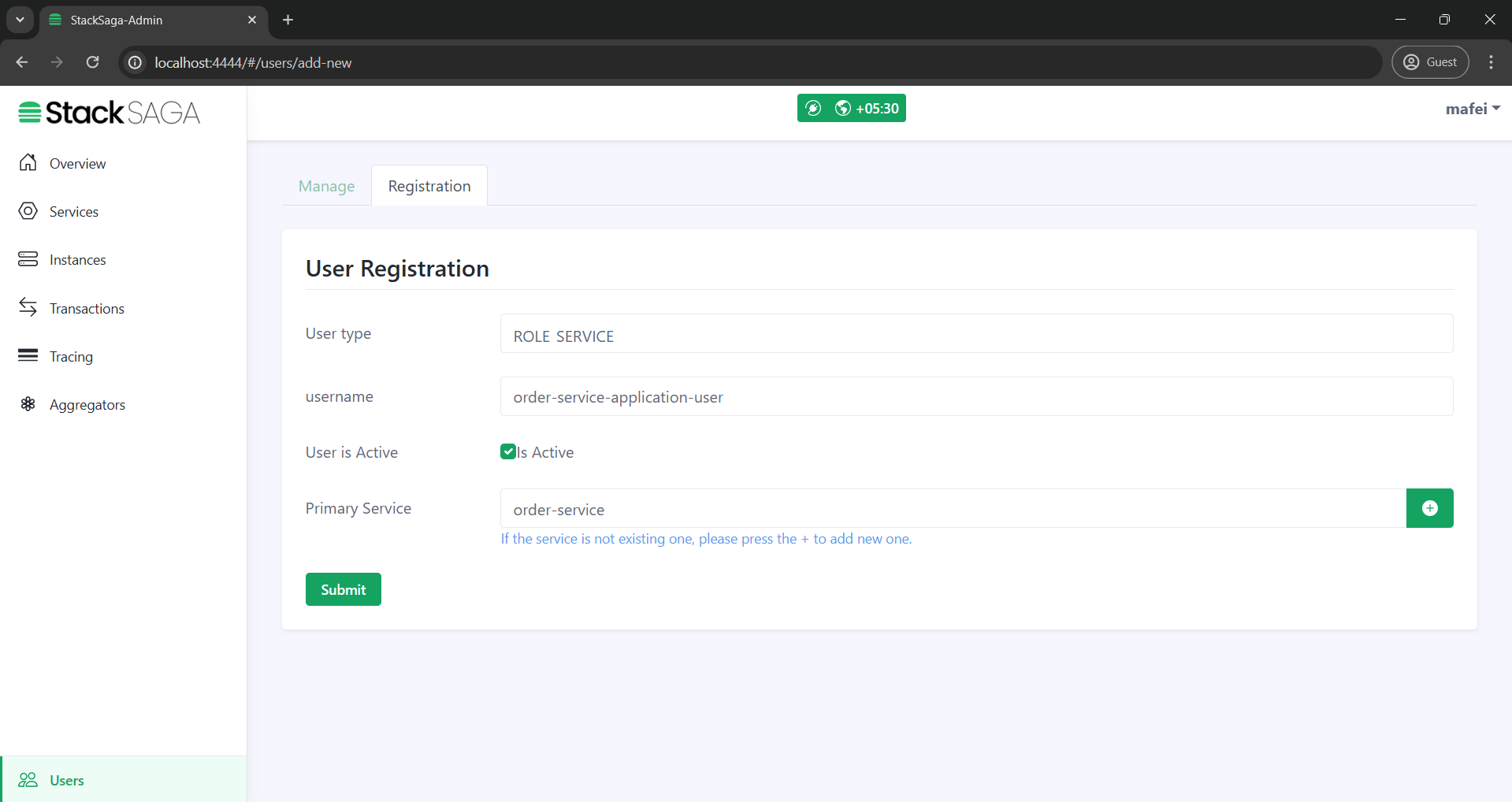
It is recommended {service-name}-application-user format for creating the service-accounts.
|
- Step-2
-
After submitting the data you will have the
usernameand agenerated password(It is not temporary password and keep it in secret).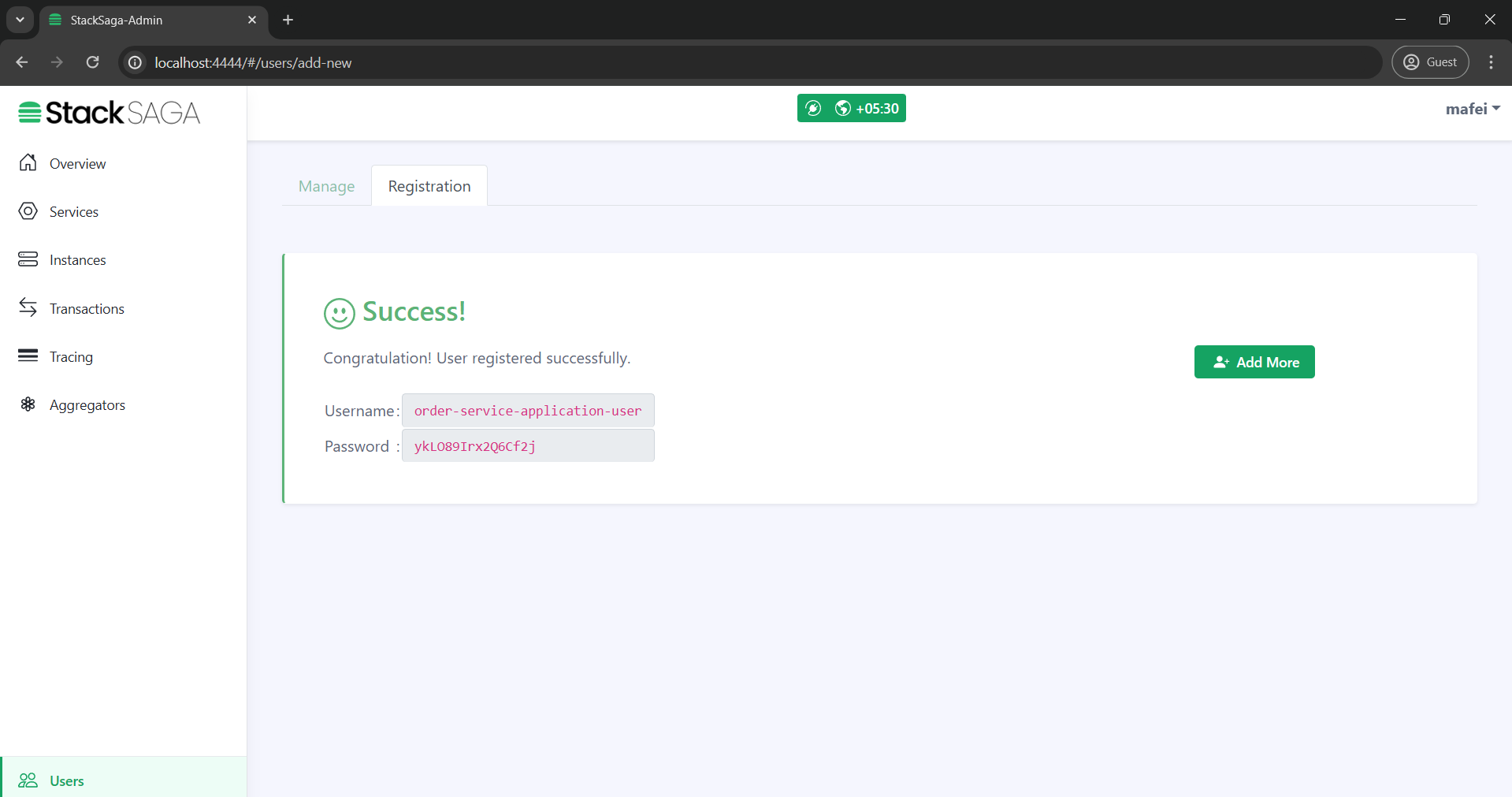
- Step-3
-
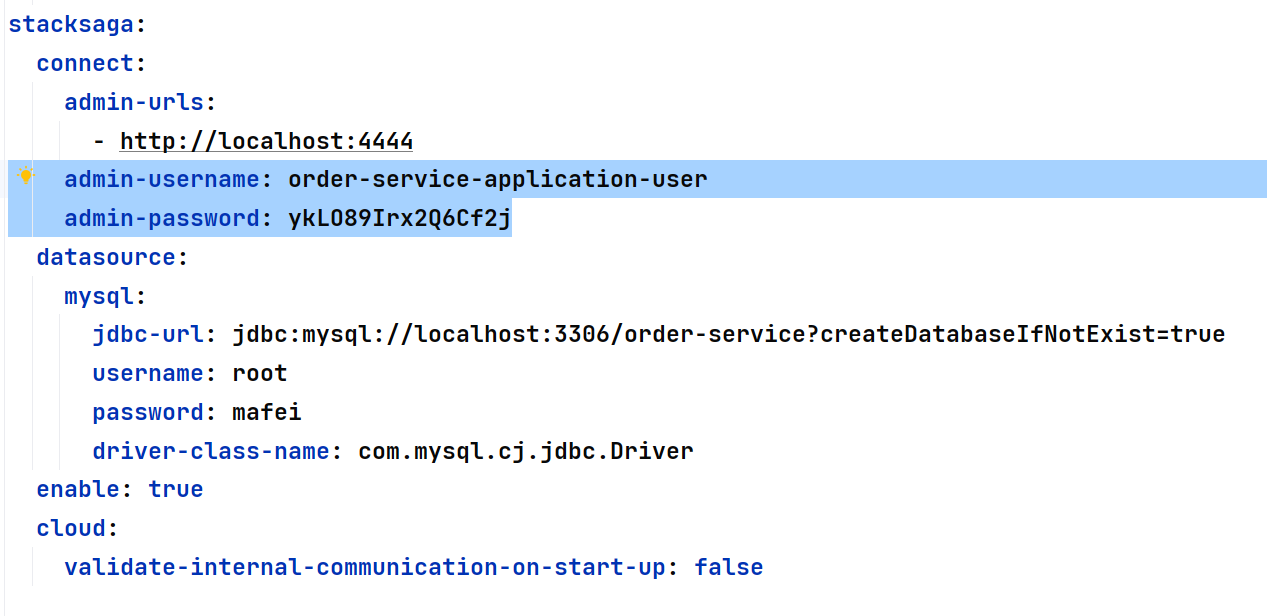
After having the credential you can use the username and the password in the property file like below. Configuration properties ]