Create Admin User
The superuser can create any number of admin accounts and the steps are as follows.
- Step-1
-
Go to the
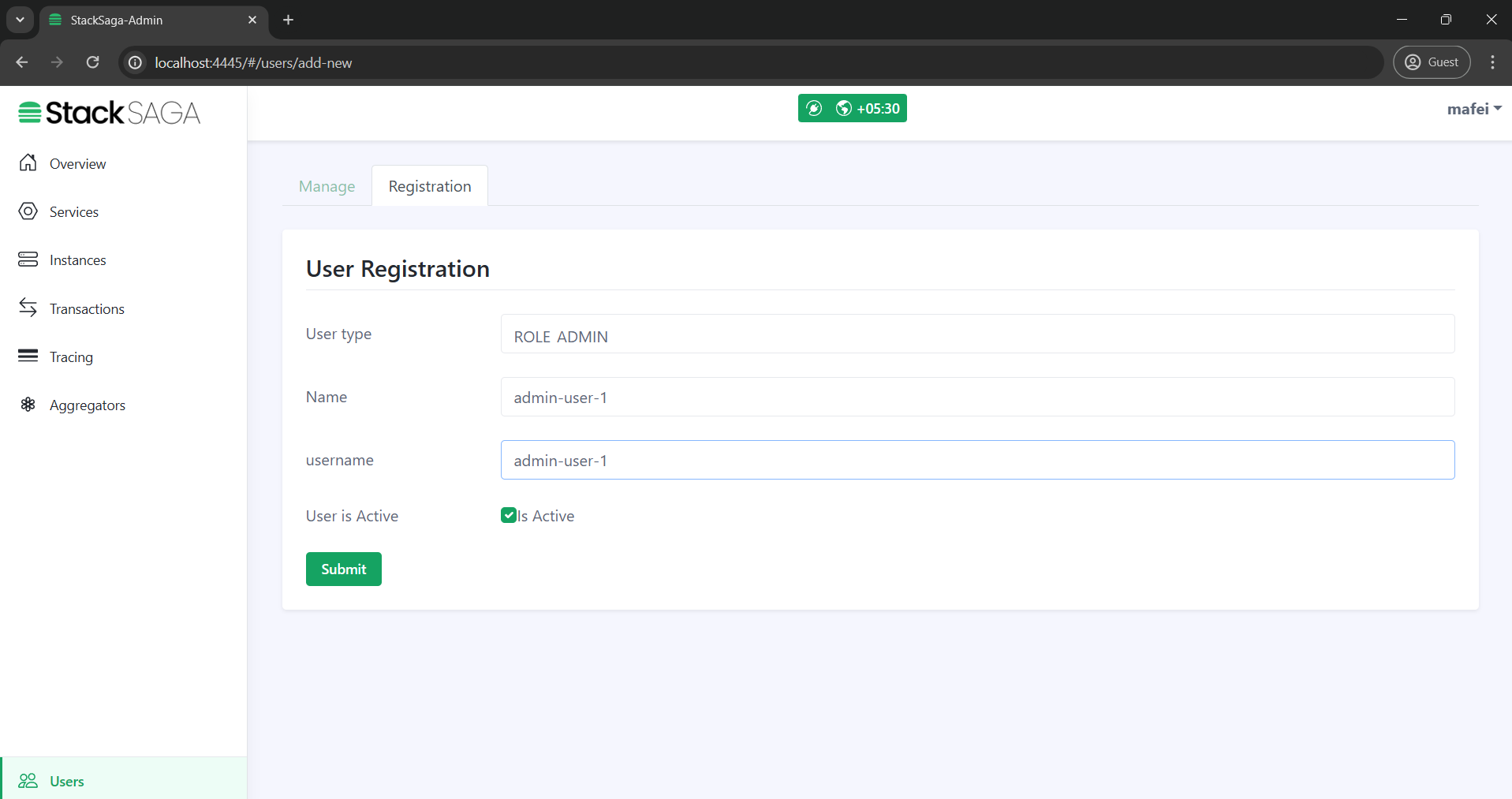
usersmenu, and move to theregistraion taband then select the user type asROLE_ADMINand enter the name and username.
- Step-2
-
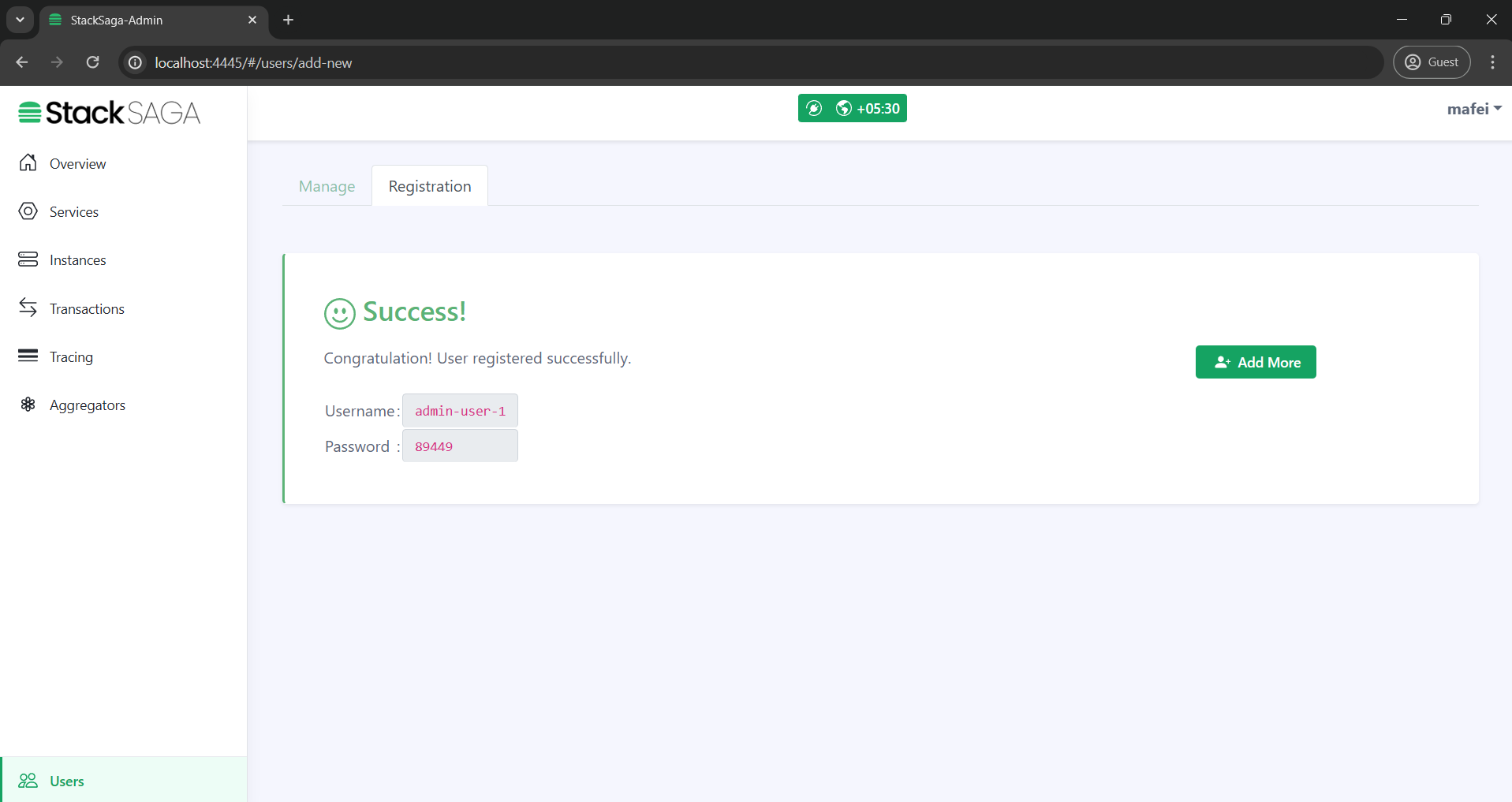
After submitting the data you will have the
usernameand a temporarygenerated password. The temporary password helps to complete the account with the real password for the real user.
- Step-3
-
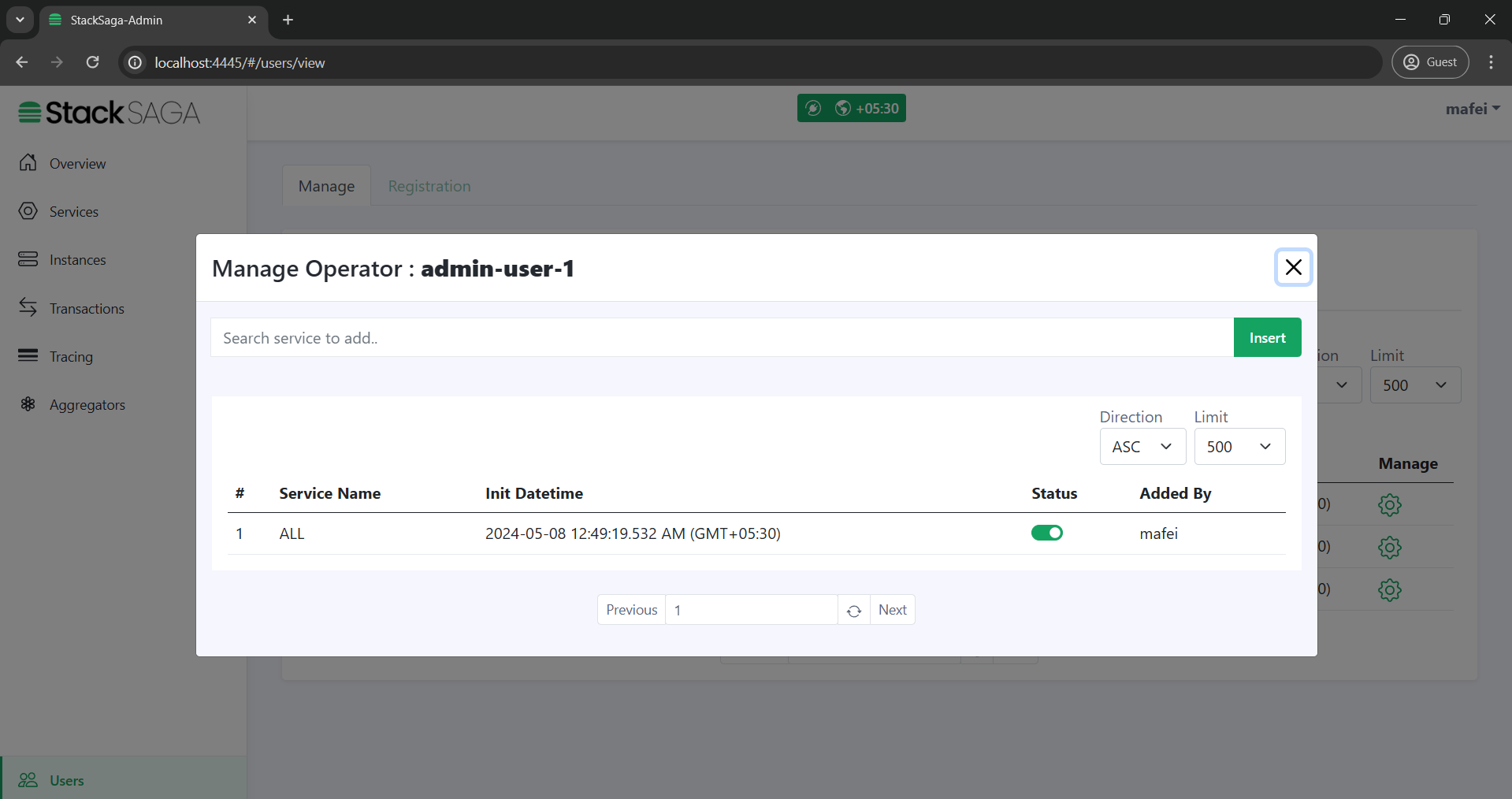
After creating the admin user account, the super admin can manage the access for services like if the new admin can access all the services or not, or it can be added to specific services one by one. As an example if you want to have an admin user for the
payment-account-serviceservice, you can mention that user can only access thepayment-account-service.
- Step-4
-
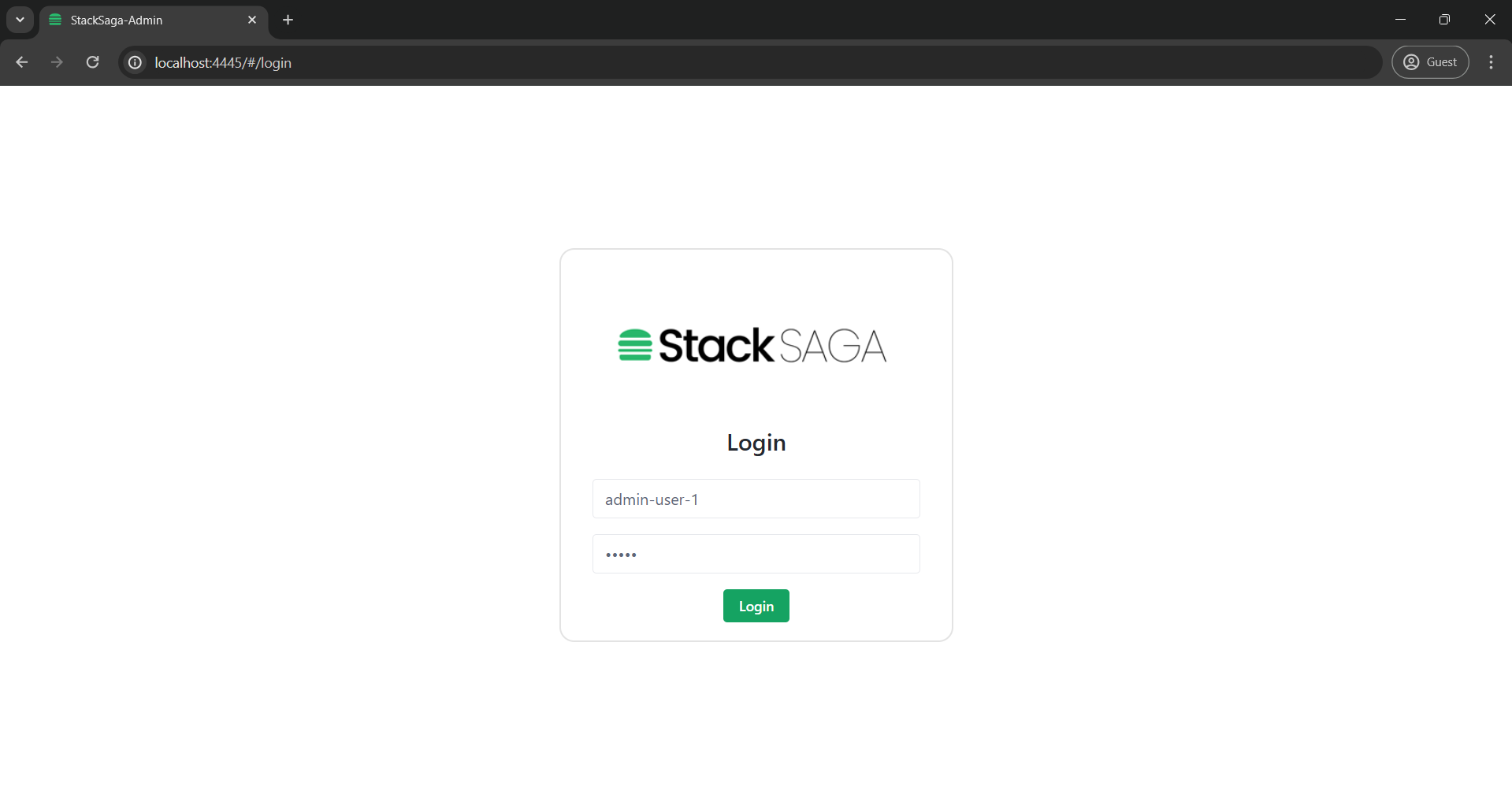
After handing over the
usernameand temporarygenerated passwordto the real admin user, he or she can log in by using it.
- Step-5
-
When trying to log in with the temporary
generated passwordthe user will be asked for creating a new password for activate the account. Then the real user of the admin account can give their own password and create the account.
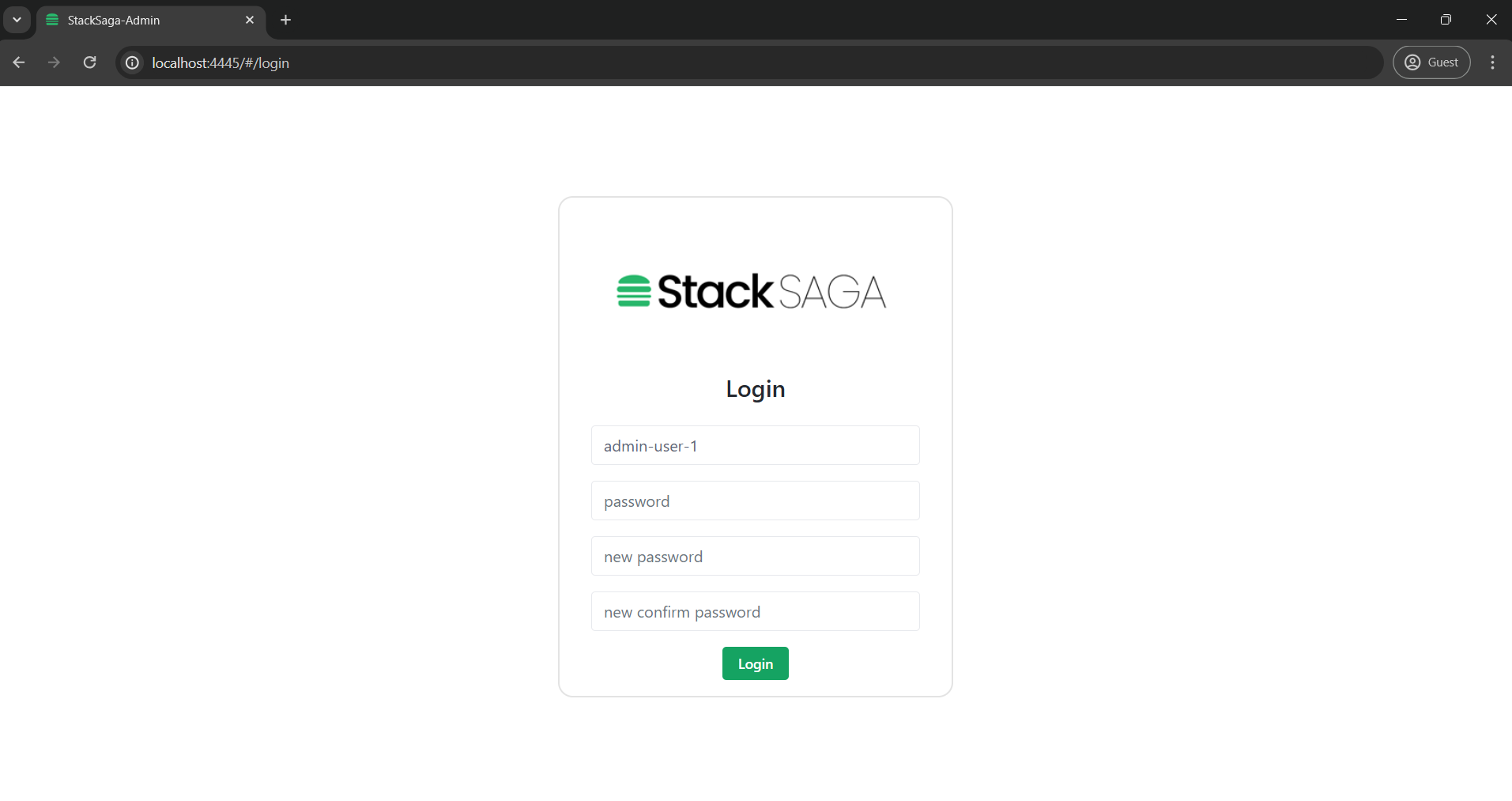
- Step-6
-
Finally, the user can see what services he can access (Because the admin account has operator access by default) and what server has been restricted to access by the super admin.